 Crosslisty
How it works
From one listing to every marketplace
Crosslisty is a browser extension. It works inside the marketplace tabs you already use, signed in as you, and fills in the forms you would otherwise type.
-
Add Crosslisty to your browser
Install it from the Chrome Web Store in Chrome, Brave or Edge. There’s no account to create and no password to share. Crosslisty uses the marketplaces you’re already signed in to.
Free to start5 fills every day, on every marketplace, with no card and no time limit. Pro is free for 14 days, no card. -
Import your listings
Open any listing you already have and press Import to Crosslisty, or import a whole shop from the dashboard’s Import menu. Photos, title, description, price, brand, size and condition are saved in your browser.
Starting from scratch?Add an item by hand in the dashboard, with its photos, SKU and where you stored it. -
Send it to other marketplaces
Press a marketplace, or send to all of them. Each marketplace’s own listing form opens in a tab and fills itself in, category, condition, brand and size included.
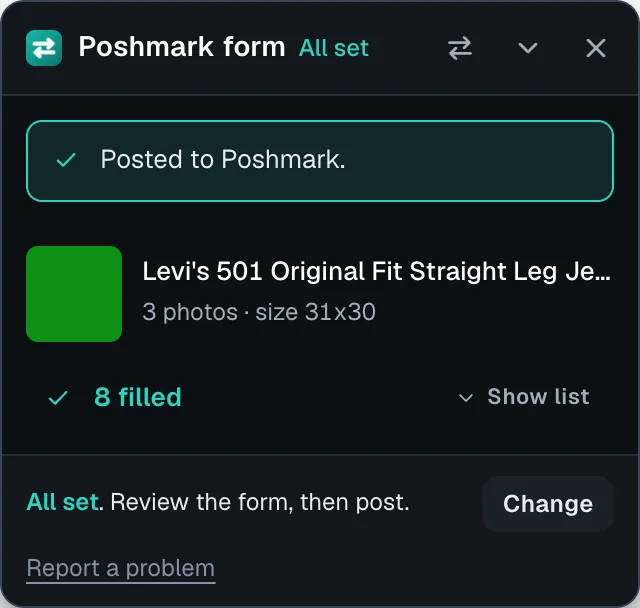
Every field filled, ready to post. -
Check the form and post
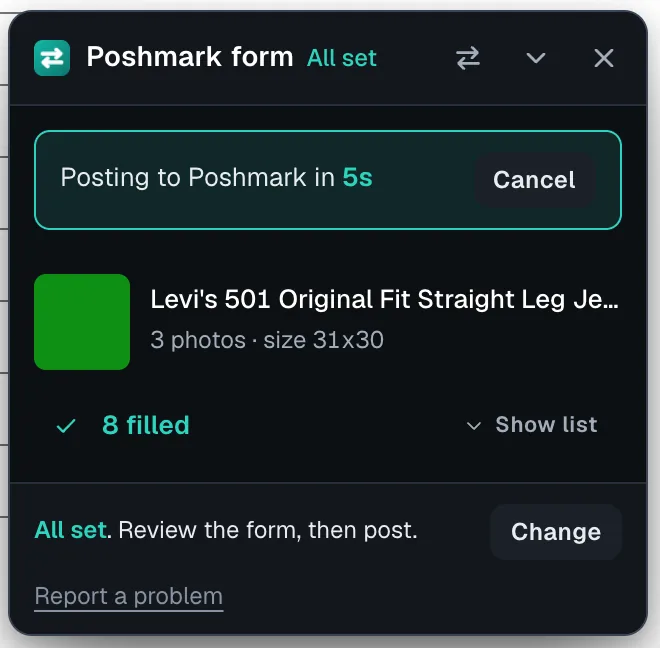
A checklist shows what was filled and what needs you, with a button that jumps to each field. Then you press post. Or turn on auto post for a marketplace and complete forms post themselves after a 5 second countdown you can cancel.
-
When it sells, the copies come down
While your browser is open, Crosslisty checks your marketplaces for sales. When one sells, it asks you, then removes the other copies on Poshmark, Mercari, Depop, Vinted and Grailed and checks each one is gone. On eBay, Etsy and Facebook it opens the listing so you end it in one click.
You stay in controlTurn on automatic removal in Settings if you’d rather not be asked each time.
Questions
Which browsers does Crosslisty work in?
Chrome, Brave and Edge on a computer. It doesn’t run on phones.
Do I need to keep my browser open?
Only for sale checks and removals. Filling forms happens while you’re there anyway.
Does Crosslisty store my listings?
Your listings are kept in your browser. Use Backup or CSV export from the dashboard to keep a copy.
What counts as a fill?
Each marketplace form Crosslisty fills is one fill. The free plan has 5 a day and resets every day.
What happens if a field can’t be filled?
It’s left for you and the checklist says why, for example a brand that isn’t in the marketplace’s list.
List your next item everywhere
It takes a minute to set up. See getting started once it’s installed.